switek email

sales06@switek.biz

switek whatsapp

+86 186 5927 5869

Подпишитесь на нас

.

High Speed Siden Entry IML Robot SW833-S6

SWITEK IML Robot Instruction -- SigmaTek -- Module Status

Abstract

With the control system developed by the Austria automatic company SIGMATEK GmbH & Co KG, SWITEK high speed side entry IML robot is providing a more efficient and outstanding performance for your quality bulk production of the IML Yogurt Cups.

1.3 Function Screen

1.3.10 Module Status

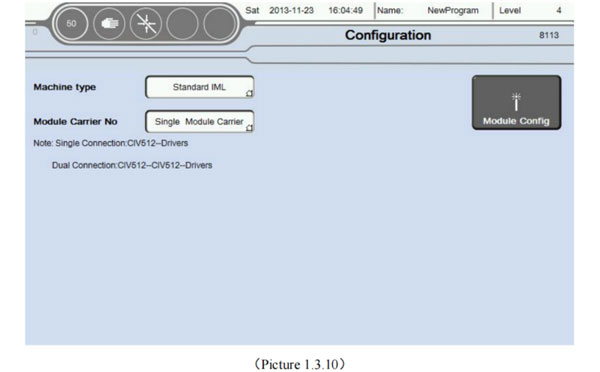
Click Configuration button into configuration screen, as the picture below 1.3.10;
iml robot control system
  1. The machine type can be choose: Standard IML, Side Entry, Double Mold, Different models. The limiting conditions of axis are different. It was advised setting corresponding models must be based on the actual.
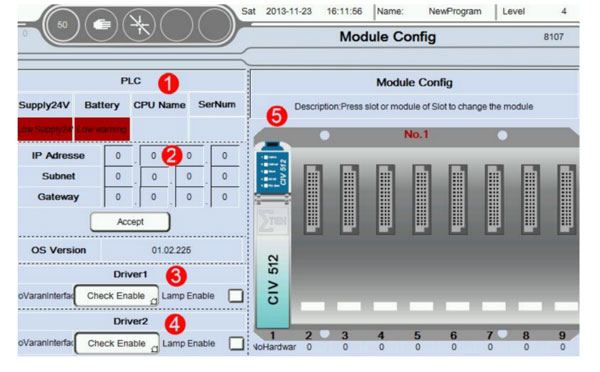
  2. Click Module Config button into Module Config screen, as the picture below 1.3.11;
    iml robot control system

    When the module connection is not correct. The corresponding module will turn red.
    1. Current PLC status display;
    2. IP address and PLC OS version;
    3. Driver 1: / Using condition monitoring. Detect fault alarm whether allow buzzer output;
    4. Driver 2: / Using condition monitoring. Detect fault alarm whether allow buzzer output;
    5. Module configuration: When you click on any module or Empty slots will be display module configuration page
      iml robot control system
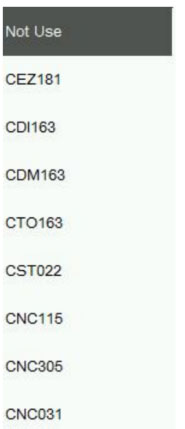
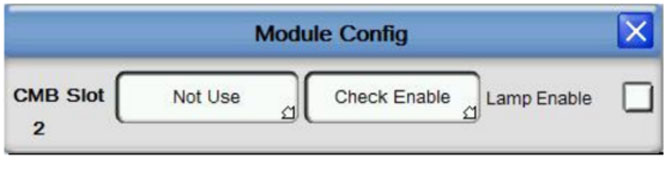
      1. In the first menu you can select the desired module, as the picture below:
        iml robot control system
        iml robot control system

        Attention: When the use of state detection was selected. The system will be detection module state real-time. If system detected module abnormal stawte then alarm. The cause of the problem may be :1) Module or other hardware damage; 2) The module is plugged into the wrong slot;
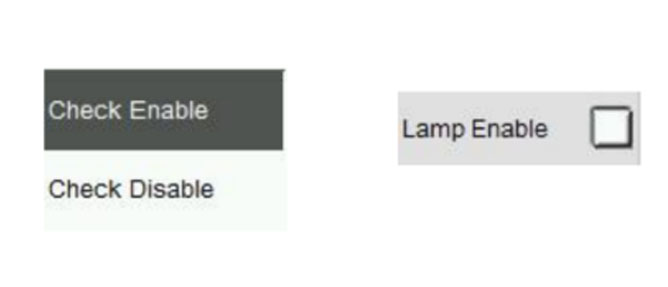
      2. After choose the required modules. In the second menu can set whether need condition monitoring;
  3. Buzzer: When checked the buzzer sends out sound when alarm. No choice, no output;
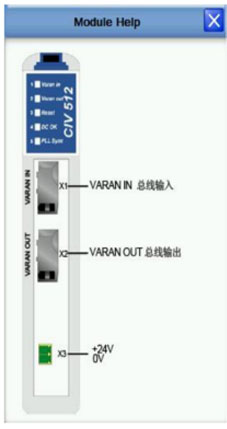
    When double click on the module pop-up help information for the corresponding modules, as the picture below:
    iml robot control system

    The help for module provides the user with a simple module interface specification. The function of each interface points for module, mode of connection and the voltage type was Supported.


E-mail: sales06@switek.biz

WhatsApp

WeChat


Запросить сейчас
Представлять на рассмотрение

Готовые решения IML